Creative tools · 2 min read
Parnia: from terminal lettering to a text and image art studio
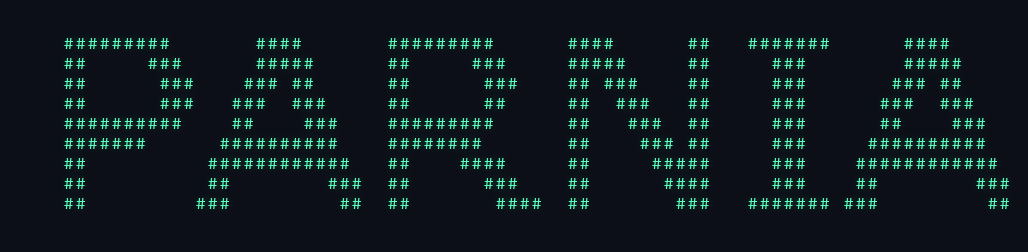
Parnia began with a small idea: draw a name using characters in a terminal. I expanded it into a tool for styling words, converting images into character art, animating the result, and exporting something people can share. It now has both a command-line interface and a local browser studio.
- My role
- Creator and developer · personal project
- Project scope
- Public source · command-line tool and local web studio
 Open full image in a new tab
The main responsibilities in this workflow.
- Text or image input
- Bitmap rendering / Persian shaping / image conversion
- Style and character mapping
- Preview and animation frames
- Terminal output or TXT / PNG / GIF export
Build one rendering core for several interfaces
The original English bitmap renderer works with Python’s standard library. Themes replace filled pixels with dots, binary digits, hearts, stars, or a repeating message. Style transforms add outlines, shadows, scale, and different lettering shapes.
Rendering, animation, media conversion, and command-line behavior live in separate modules. The browser studio uses those functions through a Flask interface, so a preview and an exported image follow the same underlying rendering rules.
Persian text needs more than reversing characters
Persian lettering requires joined glyphs and right-to-left ordering. Parnia shapes the text, applies bidirectional ordering, renders it with a suitable system font, and then converts the bitmap into characters. The font renderer avoids applying a second bidirectional pass to already shaped text.
The bitmap conversion also compensates for terminal cells being taller than they are wide. That same concern appears in image-to-ASCII conversion: simply shrinking a photo to a square grid stretches the result when it is printed in a terminal.
Make pictures and animations shareable
Image conversion maps brightness onto a character ramp, accounts for image orientation, and composites transparency onto a background. The studio adds controls for brightness, contrast, edge emphasis, mirroring, borders, alignment, and color.
The output can remain plain UTF-8 text or become a PNG or animated GIF. Typewriter, pixel-reveal, and falling effects generate frames from the same artwork. Terminal animation falls back to a final frame when output is redirected or the artwork does not fit the terminal.
Keep the local studio bounded
The browser interface processes uploaded images in memory and uses temporary files for exports. Request size, source-image dimensions, output dimensions, and animation frames are bounded. It does not maintain an upload gallery or user accounts.
The studio is intended to run locally. A hosted multi-user version would need deployment and resource controls beyond that local configuration. The repository contains tests for the renderer, CLI, Persian shaping, media exports, and web behavior; the code and setup instructions are public.
Project notes
Public personal project with a CLI and a local browser studio. Optional graphics and Persian-text dependencies extend the standard-library English renderer.